

MVI Release 12.3 new features and updates
A new dimension in control and collaboration
We’re proud to announce MVI Release 12.3, designed to elevate your meeting experience with unparalleled flexibility, control, and integration capabilities.
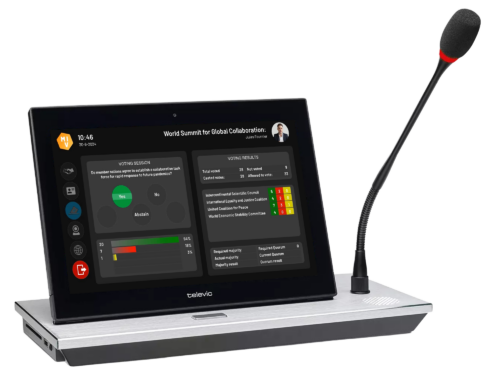
DelegateUI integration on Televic uniCOS
Our fully customisable DelegateUI interface is now available on Televic’s cutting-edge uniCOS devices. This powerful collaboration brings the full visual flexibility of DelegateUI to Televic’s multimedia conference units, supporting both Confero and CoCon-based systems. DelegateUI takes full control of the device interface, making it completely flexible. Video content is dynamically positioned according to your chosen templates, with distribution still managed through the Plixus network. Therefore, it is still required to inject EasyCam video into the Plixus network, either via a V-in box or directly through SDI on the CU. This integration opens up a world of possibilities for tailored delegate experiences.
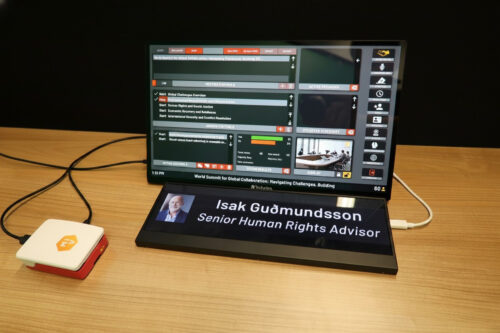
EasyConf Control for Raspberry Pi
The Raspberry Pi app, although recently introduced, has undergone a complete overhaul to align its installation and user experience with all other supported platforms, as introduced in version 12.2. The new Raspberry Pi client is now delivered as a complete MVI OS image, ready for immediate use at first boot by flashing the SD card. It supports up to two automatically detected screens and offers convenient maintenance capabilities through a web server hosted on the Pi itself. This makes it an ideal solution for integrated hall displays or discreet DelegateUI clients, also with nameplates.
EasyConf Control for web browsers
Following its successful deployment as a dedicated app across all platforms, EasyConf Control is now accessible directly within your web browser. This enhancement allows you to manage your meeting controls from any device with internet access.
Remote interpretation (Beta)
The initial version of remote interpretation is now a reality on the EasyConf Connect platform. Fully compatible with our suite, this feature empowers interpreters to join meetings remotely, managing one of the translation channels distributed across the platform. Interpreters can select between A, B, and C channels and listen to any available channel.
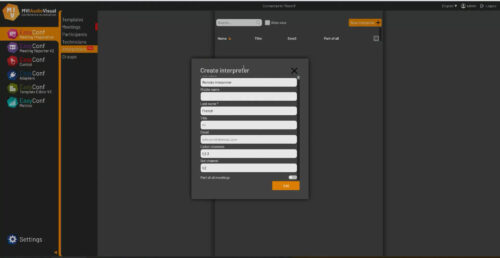
The entire audio path, from EasyCam to Connect and back, has been redesigned and improved for superior performance. We’ve enhanced ASIO support in EasyCam and expanded the number of available interpretation channels. Each remote interpreter channel can now be distributed to the meeting room via two distinct audio devices, allowing for one to be configured with floor-filling audio and the other without. This provides more flexibility for integrating with existing conference system interpreter booths, facilitating seamless hybrid interpretation scenarios.
Furthermore, we’ve integrated VU meters and gain control directly into the EasyCam audio configuration page, providing interpreters with immediate visual feedback and precise control. Interpreters can now be conveniently configured during meeting preparation in both the Portal and Excel.
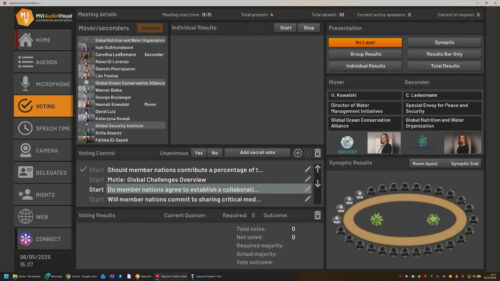
Adding movers and seconders to votes
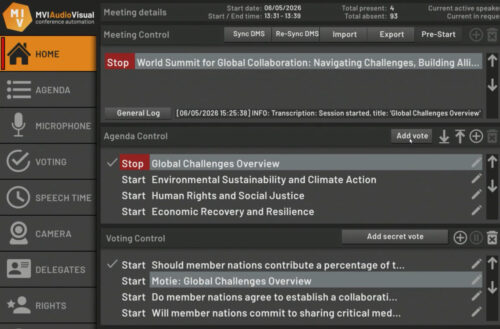
We’ve added support for registering the mover and seconder(s) of a vote, a crucial feature commonly found in systems derived from the Westminster parliamentary model. When enabled in the voting profile, movers and seconders can be selected either during meeting preparation in the Portal or live during the meeting in Control.
In Control, a dedicated list must be incorporated into the template to enable this selection. Movers and seconders can only be assigned during the new voting phase: Vote Prestart, ensuring a structured and accurate process. Reports, only within the new Reporter, have been updated to comprehensively include this vital information.
Proxy votes and vote correction
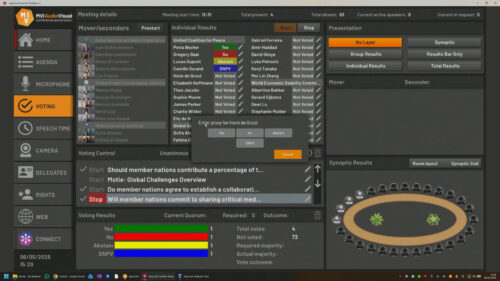
The individual vote results list in Control now offers an optional edit button. During an active vote, this feature allows for the selection of a vote on behalf of an eligible voter, a capability typically restricted to the clerk’s screen. This override replaces the original vote, and for full transparency, it is recorded in the report as “proxy by [Control Name]”.
ProDVX LED rings
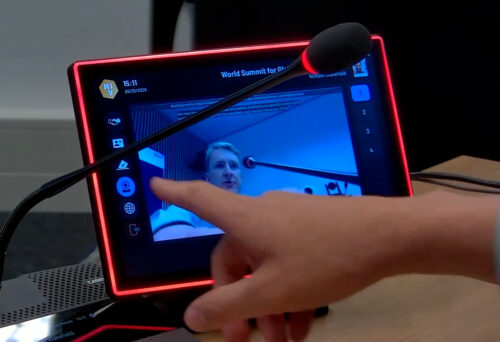
We’ve integrated support for ProDVX LED rings on their Android panels. When enabled in DelegateUI, these rings provide intuitive visual cues for voting activity, microphone status, and presence. In Control, they offer a clear indication of whether a meeting is active.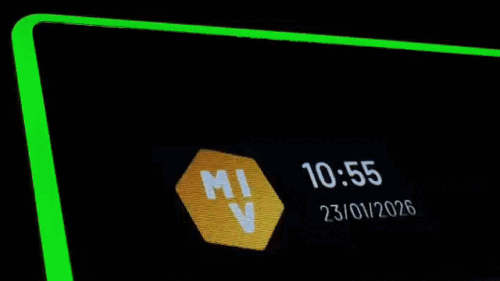
Android webcam support
DelegateUI now supports the embedded webcam of Android devices. When enabled, this feature acts as a reliable fallback camera, ensuring visual continuity even when no PTZ cameras are available.
Vote item creation in Control
We’ve introduced new button types in Control, designed to simplify the creation of vote items. These new items automatically inherit the title of the parent agenda item or the selected vote item. This streamlines the process of quickly generating amendments or motions.
Other improvements
Optimised Portal layout: The Portal layout has been meticulously optimised for seamless viewing and interaction on smaller screens.
Reporter retention policy: An optional retention policy has been added to Reporter, providing greater control over data management.
Expanded license details: License details within Portal have been expanded for clearer, more comprehensive information.
Web-based Template Editor enhancements: Extended support for buttons has been incorporated into the web-based template editor.
SRT export for Transcription: Transcription in the Portal now supports SRT export. Additionally, transcription lines can be easily removed, and time adjusted for greater precision.
EasyCam video decoding optimisation: Video decoding in EasyCam has been to a subprocess, resulting in improved performance and enhanced stability. Moving the settings window no longer interrupts video playback.
EasyCam audio-only recording: EasyCam now supports audio-only recording in .mp3 format (in addition to .wav), complete with retention policy options.
Lower Thirds enhancements: More variables have been added to Lower Third, and an intuitive in-app HTML/CSS editor has been introduced for greater customisation.
Updated DeckLink support: DeckLink support has been updated to Blackmagic Design Desktop Video 16.0 for enhanced compatibility and performance.
Confero voting rights: Added support for voting rights in Confero, a feature recently introduced by Televic.
Microphone sensitivity adjustment: Microphone sensitivity can now be directly adjusted in Control for all conference system adapters, offering immediate and precise audio control.
Performance metrics in the Portal: CPU, GPU, and memory usage metrics have been integrated into the Portal, providing valuable insights into system performance.
String-based API improvements: Various improvements have been made to the string-based API, enhancing its robustness and flexibility.
Updated UI translation files: All UI translation files have been comprehensively updated, ensuring a consistent and localised user experience.
Setting a broader foundation
Release 12.3 expands the MVI Software Suite with stronger platform parity, deeper integration options, and more flexible workflow control across voting, interpretation, and system management.
It reduces platform fragmentation, improves operational consistency, and extends the system into browser-based and embedded environments without changing core infrastructure principles.
If you want support activating any of the new modules or features, we’re ready to assist.